Posts

Showing posts with the label iphone repairing service

Common Issues of Apple iPads That Demand Professional Intervention
Image
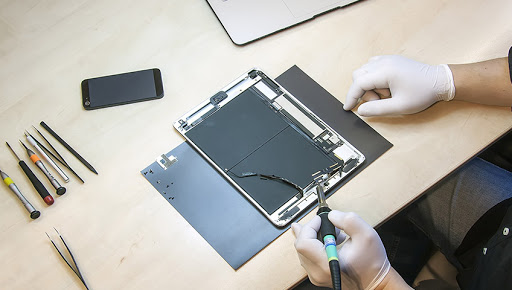
There is simply no denying the fact that Apple’s iPad is a leader in the tablet market. The iPad which is the highest selling tablet comes with five distinct models. Although, iPad reveals perfection, the device is not free of flaws and there are literally several types of potential issues which are hard to overcome. Some common iPad issues which can be resolved have been discussed in the following lines:  Frozen screen  At times the iPad screen will freeze and continue to remain unresponsive. A likely culprit behind the issue is an app which is not always easier to identify. If this problem continues to happen you could check out for any faulty app running in the background.  iPad will not turn on  At times the iPad will not turn on. Although such situations may prompt you to assume that the worst has taken place, the good thing is that this kind of problem can be easily sorted.  iTunes will no longer recognise iPad  iPad repair experts in Nottingham...
Common Problems Iphone and Android Phone Users Face

Image
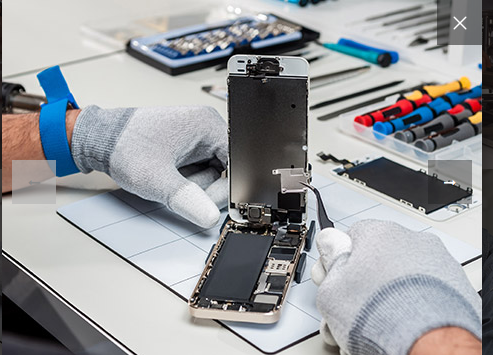
If you are an iPhone user it’s not uncommon to face issues with the device when almost every user of the same brand has pointed out different types of problems on their Smartphone. Indeed these issues can popup during any moment with or without your notice. Here we want to mention some common problems iPhone users face in their everyday life. The commonest among issues, which iPhones experience, have been mentioned in the following lines.  High drainage of battery Have you recently observed your battery draining abruptly? It doesn’t mean the battery has gone mad but the fact that there is some problem with the device. Also, there could be reasons which might force you to invest in a new battery. Follow these DIY fixing steps if you want to reverse the problem on your own: Turn off the GPS, Bluetooth, NFC and Wi-Fi. If you have other choices on connectivity, you can readily use them. Clean the applications by means of using the phone optimizer Switch on to the Power Saving mod...

What are the Sure-fire signs to consider before giving your phone for iPhone repair?

Image
iPhones are not unbreakable or impeccable. They too have flaws and with time these Apple products too, start showing signs of damage. However this fact may hit it hard on a user. Considering that a vast majority of Smartphone users face damage to their phones in all bizarre ways possible. However, sometimes, devices will simply stop working not because users have misused them but of some internal faults. In a time when we are becoming more reliant on Smartphones, it’s evident for us to pay attention to their functionality.  Especially iPhone users know what it takes when their prized device simply goes kaput. Considering the price of the product and its parts iPhone users would rather prefer giving their phone to a registered repair company lest an unprofessional may completely damage the device. Given the number of phone repair shops cropping from every corner, it’s likely that users would want to know about reliable names in the repair industry. So, basically how will they know ...

6 Easy Ways You Can Replace the Broken Screen on Your iPhone 5 C

Image
Sometimes, it becomes difficult to contain further breakage of a phone screen that has cracked already. Did your iPhone 5C slip out of your grip? If this has caused breakage of your phone screen and you really cannot hold back your tears in agony, relax. Of course you can do it all by yourself and if you are not confident head straight to a mobile repair shop. They will fix your problem. However, if you prefer a DIY approach you can go through the following tips: Switch off your iPhone handset:   Switch off the power supply of your iPhone. This is the basic step to remember. Now proceed to your next step. Remove security screws:   There are a couple of security screws, sitting on both the sides of a dock connector. Take them off. These screws secure your phone’s screen to its frame. Work on the display assembly:   Yes! Take it off too. Position a suction pipe right above your phone’s home button. Take the iPhone with one hand tightly and pull the suc...

Mistakes That Increase The Need For Frequent Android Phone Repairs

Image
Mobile phones these days are pretty sensitive. Yes - they are high-tech, and when they are manhandled or used wrongfully, they tend to develop snags. The bottom line is that, as and when that occurs, it raises the frequency of issues prompting you to get your gadget to the phone repair centre in and around Nottingham or in any other place. Here are some of the practices that you need to get rid of, at the earliest if you are to lengthen the life of your phone. If You Are Using a Wireless Device For Charging... Some technologists are of the opinion that says, charging android phones with the help of the wireless charging devices drastically diminishes the battery life of a phone. In fact, these wireless chargers push the phones through some needless recharging cycles, which do no good to the battery life. If you are not using a case for your phone.... A survey recently conducted performed by consumer research that revealed a startling fact. The study has revealed that...

Ways to Straighten No Haptic Feedback for 3d Touch on iPhone 7

Image
At times, you will find that you are getting no haptic feedback for the 3D touches on your iPhone 7. There might well be a number of reasons behind that. At times, it may be caused by stings or at times by any firmware issue. Now, when it comes to fixing this glitch, there are various methods that the pros try. The problem can be fixed by using three different ways: By enabling the system haptic Changing the 3D touch sensitivity Resetting every setting right from the scratch Way 1: By Enabling The System Haptic The first and foremost way that can be used is an elementary one. All it involves is enabling the System Haptic feature. The user will be able to enable as well as disable the haptic feature on their iPhone 7. Therefore, the problem of no haptic feedback can surface up, when this feature is disabled in a device. The feature can be enabled by: Opening the Settings Tapping on sounds & Haptic Swiping down to find, ‘system haptic’ Toggling it off and on...